
html-anything
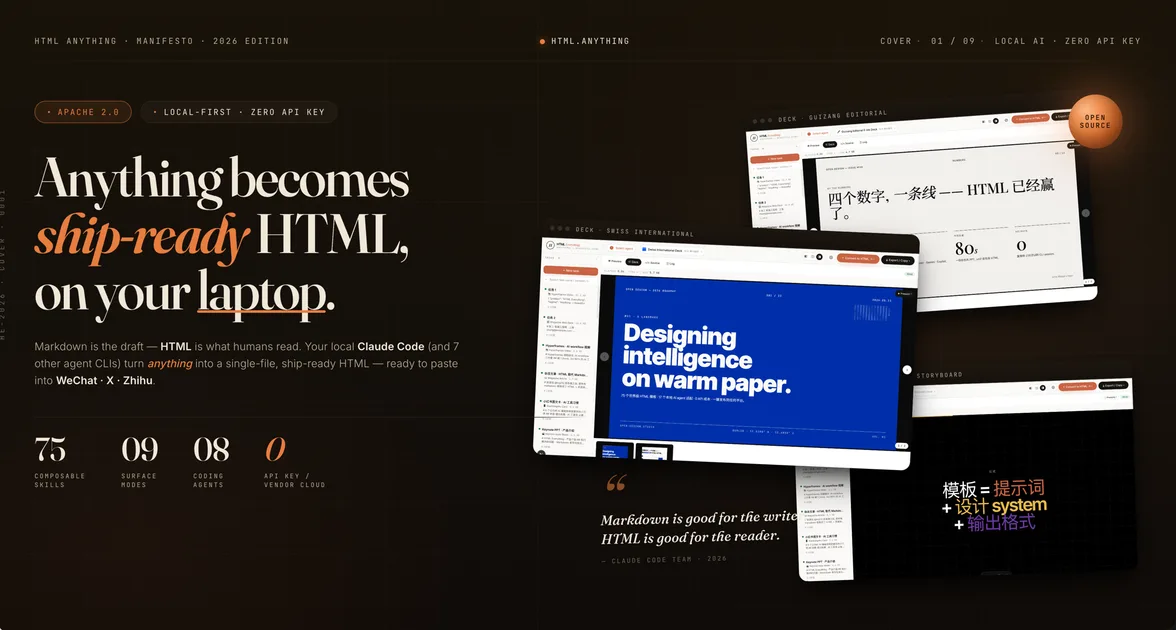
A local-first agentic HTML editor featuring 75+ composable templates for magazines, decks, posters, and social media cards.

Suggested prompts
About this skill
HTML Anything
HTML Anything is an agentic HTML editor that runs on your local machine. It uses your existing coding-agent CLI (Claude Code, Cursor Agent, Codex, Gemini CLI, GitHub Copilot CLI, OpenCode, Qwen Coder, Aider, or IBM Bob) to convert any input — Markdown, CSV, Excel, JSON, SQL, or plain notes — into a ship-ready, single-file HTML document. The output is designed to be pasted directly into WeChat, X (Twitter), Zhihu, or downloaded as .html or .png. No API key is required; the tool reuses the session you already have logged in via your terminal.
Suitable Scenarios
- Anyone who needs to turn notes, data, or drafts into visually polished HTML pages without hand-coding CSS.
- Content creators who publish to platforms like WeChat, X, Zhihu, Weibo, or Xiaohongshu and want one-click export.
- Developers, designers, product managers, marketers, and engineers who need quick prototypes, decks, data reports, or social media cards.
- Teams that produce decks, meeting notes, OKRs, or runbooks and want an agent to generate the final formatted output.
Preview
Below are the eight featured skills that appear at the top of the picker. Each skill has a real example.html you can open directly from the repository.
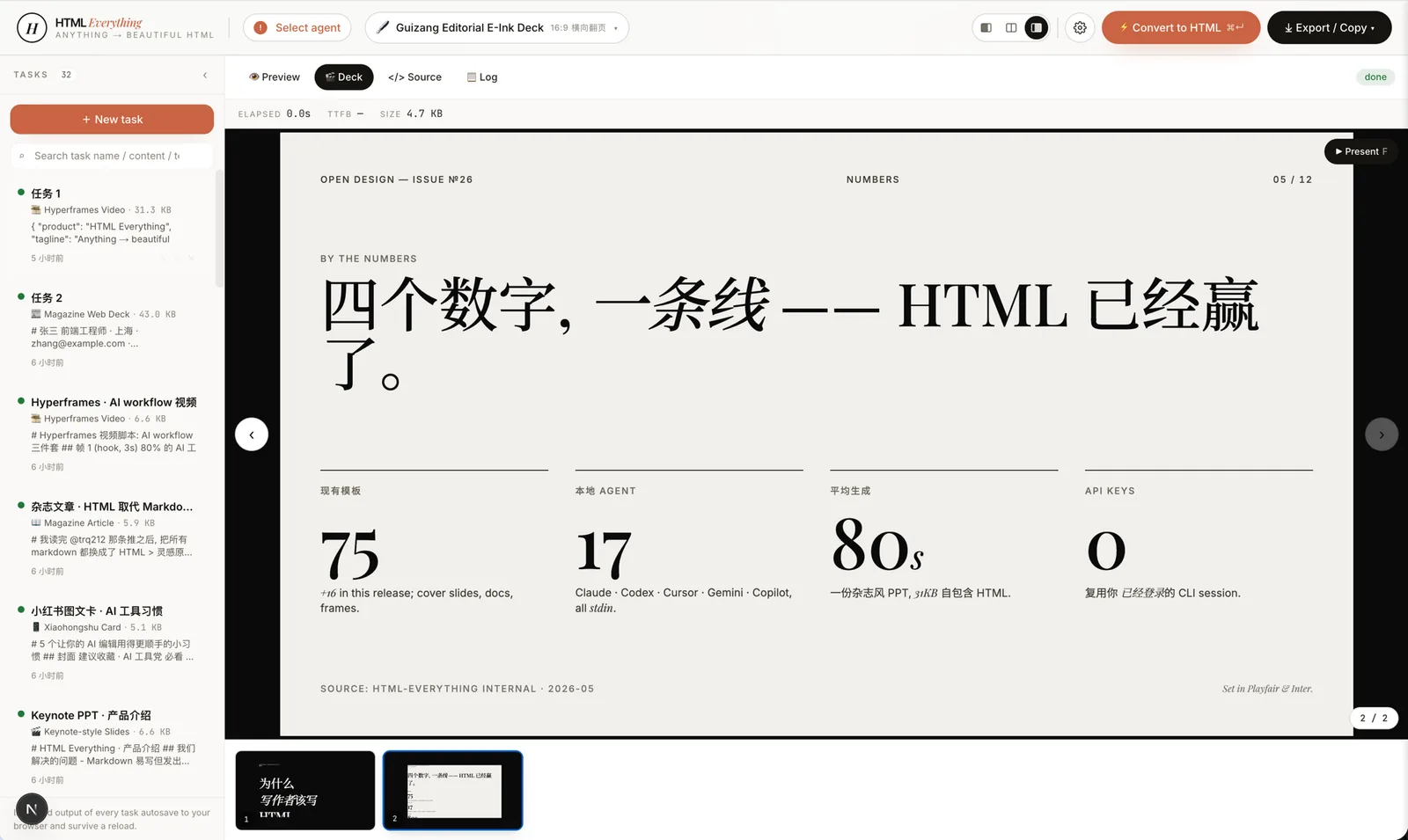 deck-guizang-editorial · deck · recommended: 1Magazine × e-ink editorial deck, inspired by op7418/guizang-ppt-skill — 10 locked layouts × 5 palettes (Ink / Indigo Porcelain / Forest Ink / Kraft / Dune). Reads like a printed art-zine, not a slide deck.
|
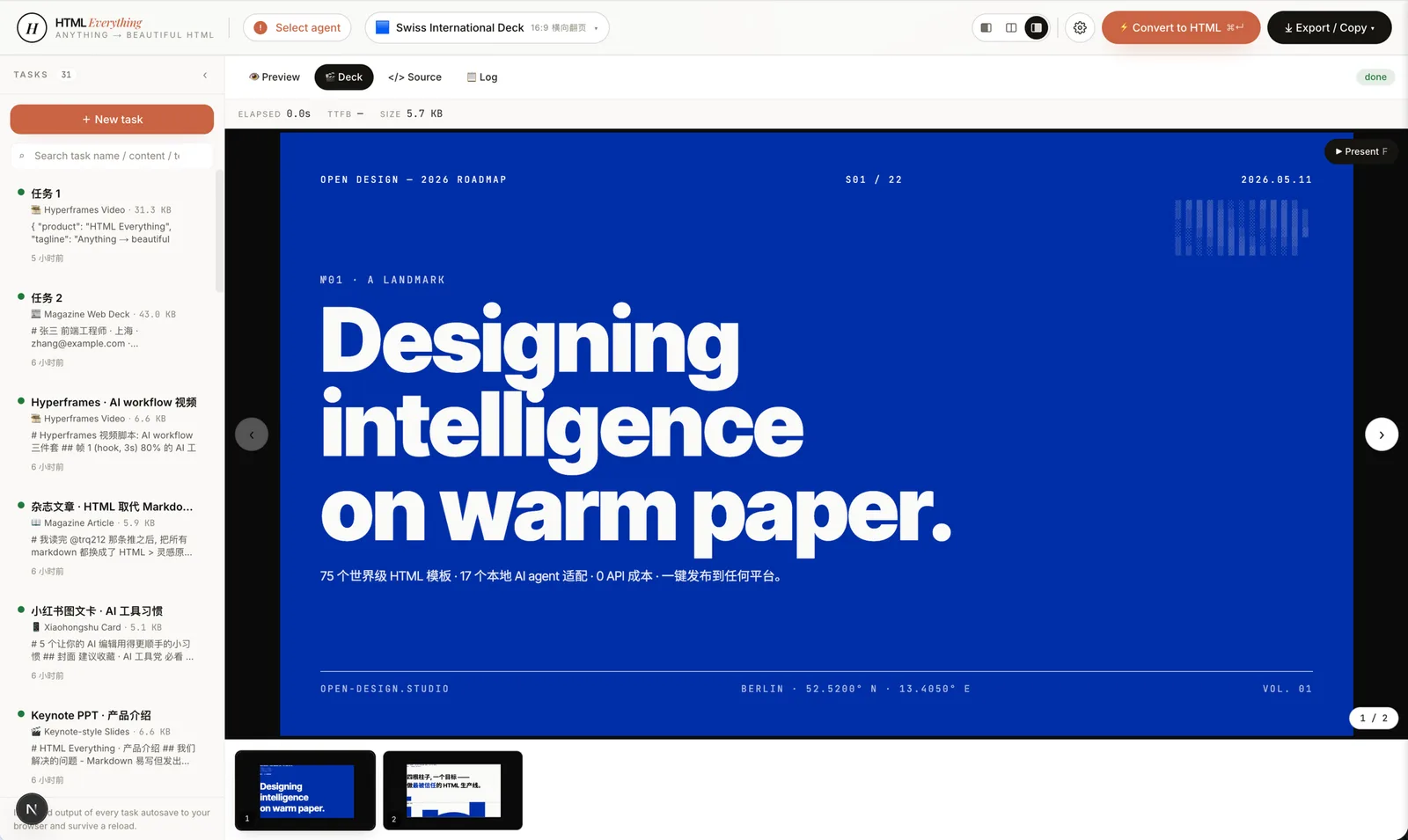 deck-swiss-international · deck · recommended: 2Swiss International deck — 16-column grid + one saturated accent (Klein Blue / Lemon / Mint / Safety Orange) across 22 locked layouts. Cold, rational, institutional. The deck that reads "a designer made this" the moment it opens. |
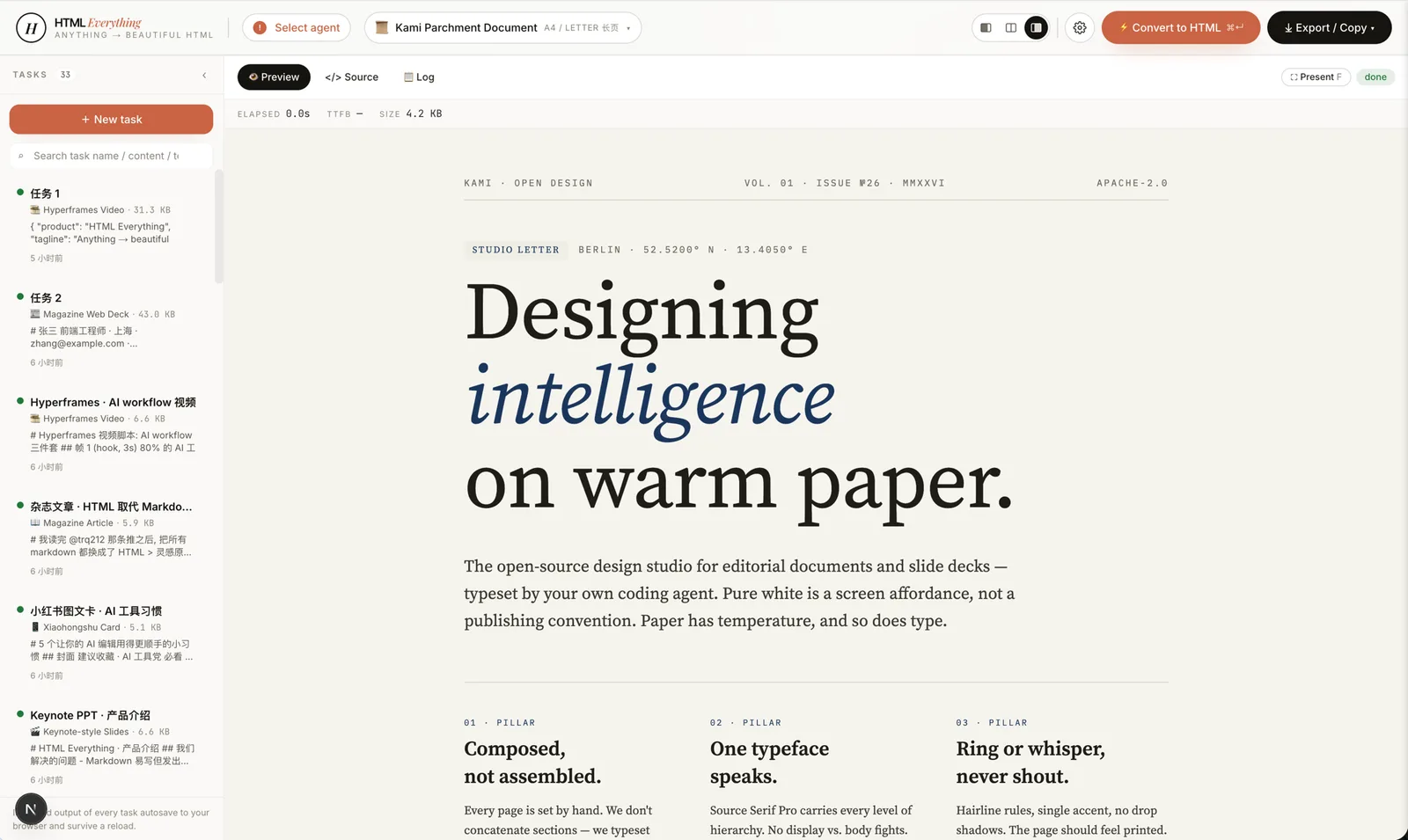 doc-kami-parchment · doc · recommended: 3Warm-parchment editorial document, inspired by tw93/kami. #f5f4ed ground + ink-blue accent + single serif voice — a noticeably calmer reading surface than plain-white markdown for long essays, reports, and one-pagers.
|
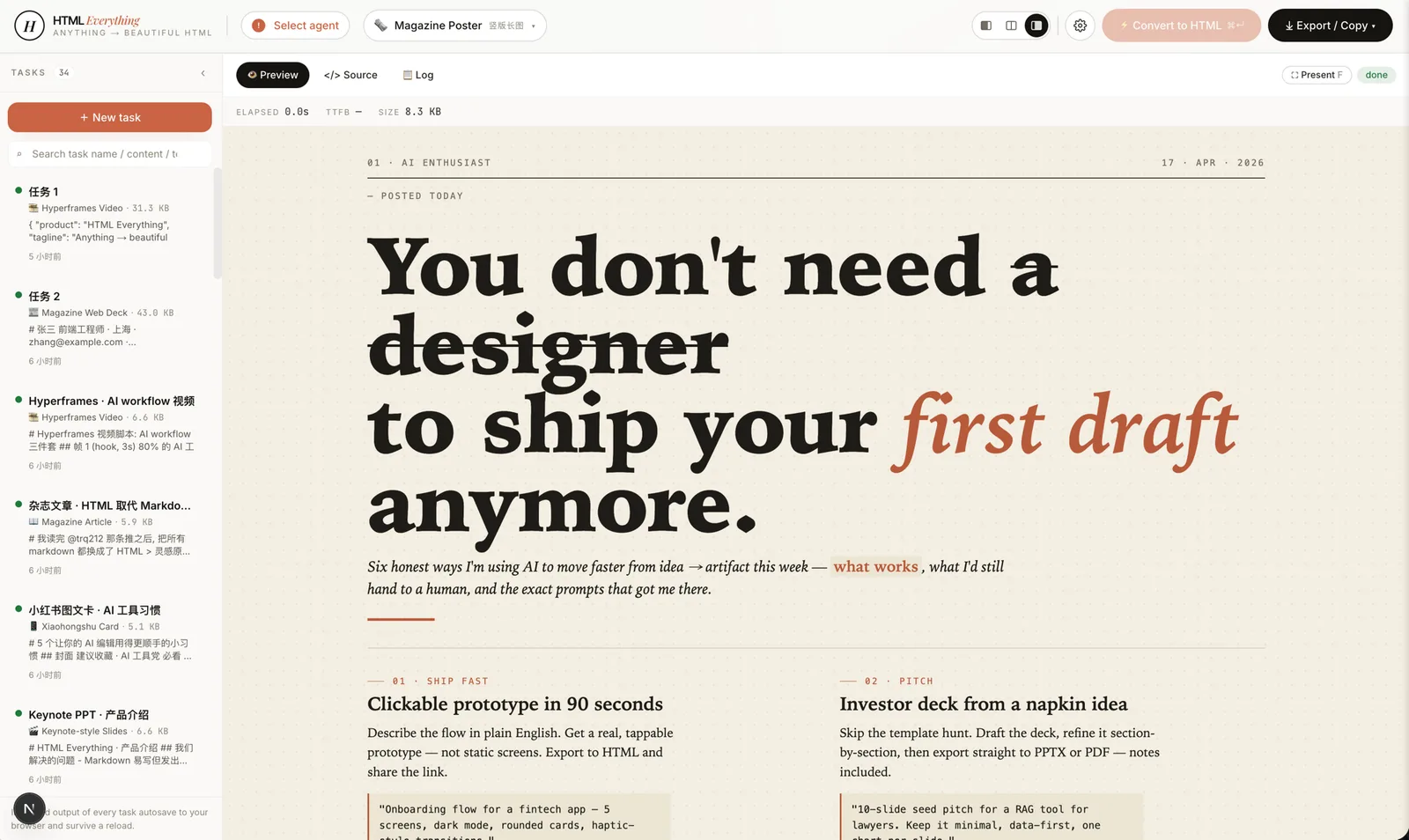 magazine-poster · poster · recommended: 4Newsprint Sunday-paper poster — oversized serif headline, two-column body, six numbered sections, dot-pattern cream ground. Reads like a printed broadsheet, not a webpage. |
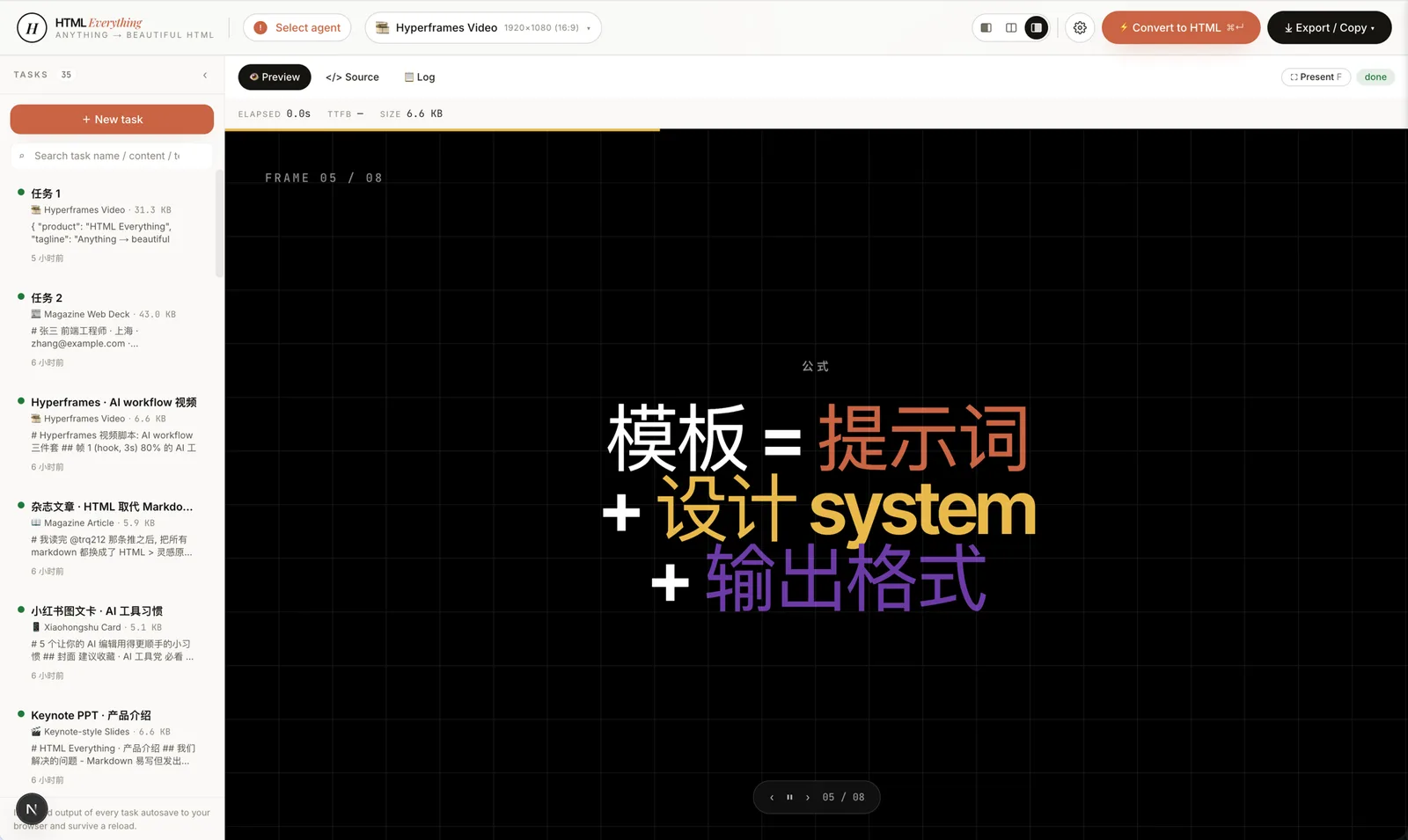 video-hyperframes · frame / video · recommended: 5Hyperframes / Remotion-compatible storyboard — 6–10 sequential 1920×1080 frames with hidden duration + transition markers and an auto-play script. Hand straight to heygen-com/hyperframes or Remotion to render .mp4.
|
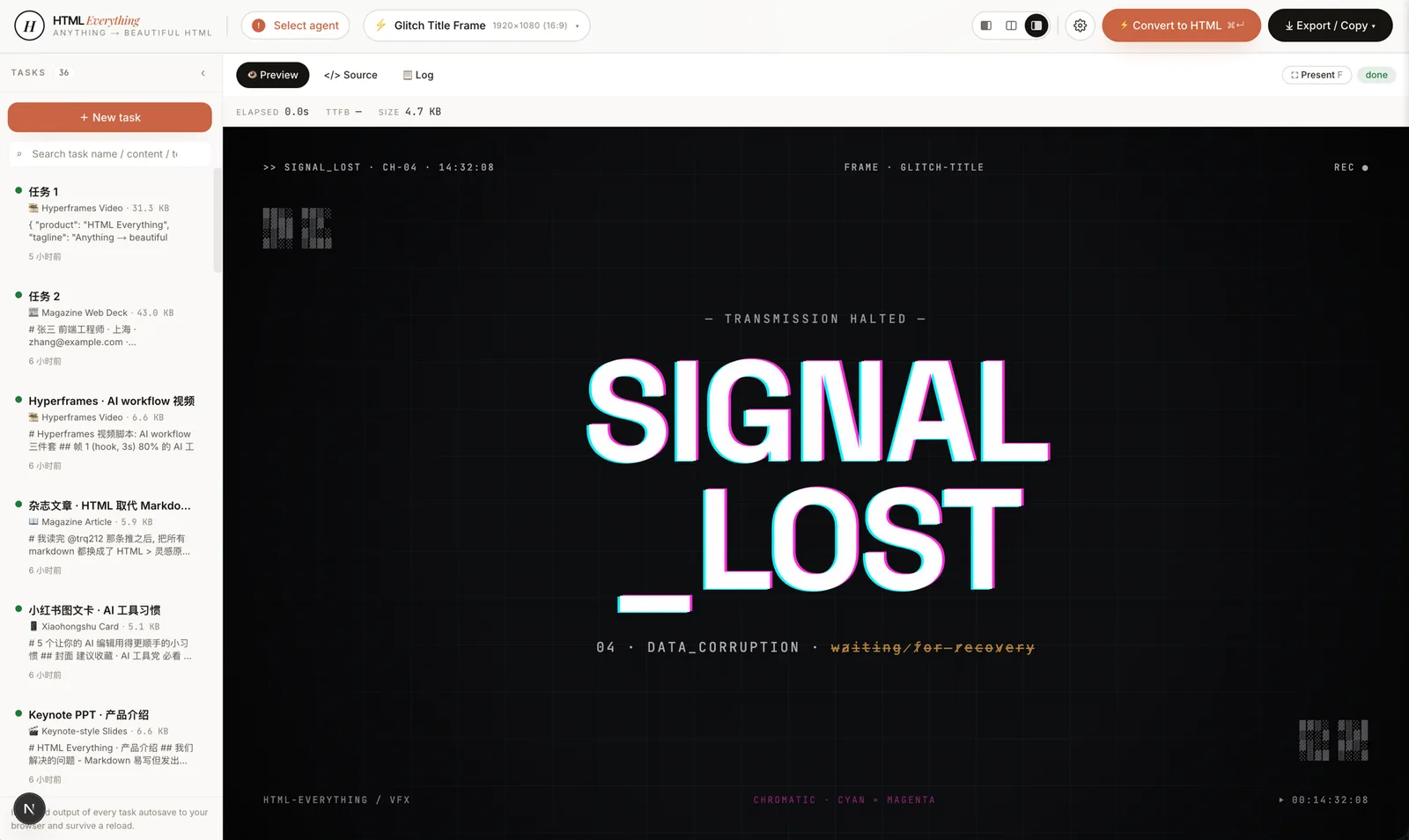 frame-glitch-title · frame · recommended: 6Glitch title frame — cyan/magenta chromatic offset, CRT scanlines, corrupted-data subtitle, ASCII noise in the corners. Cyberpunk hero card or video transition. |
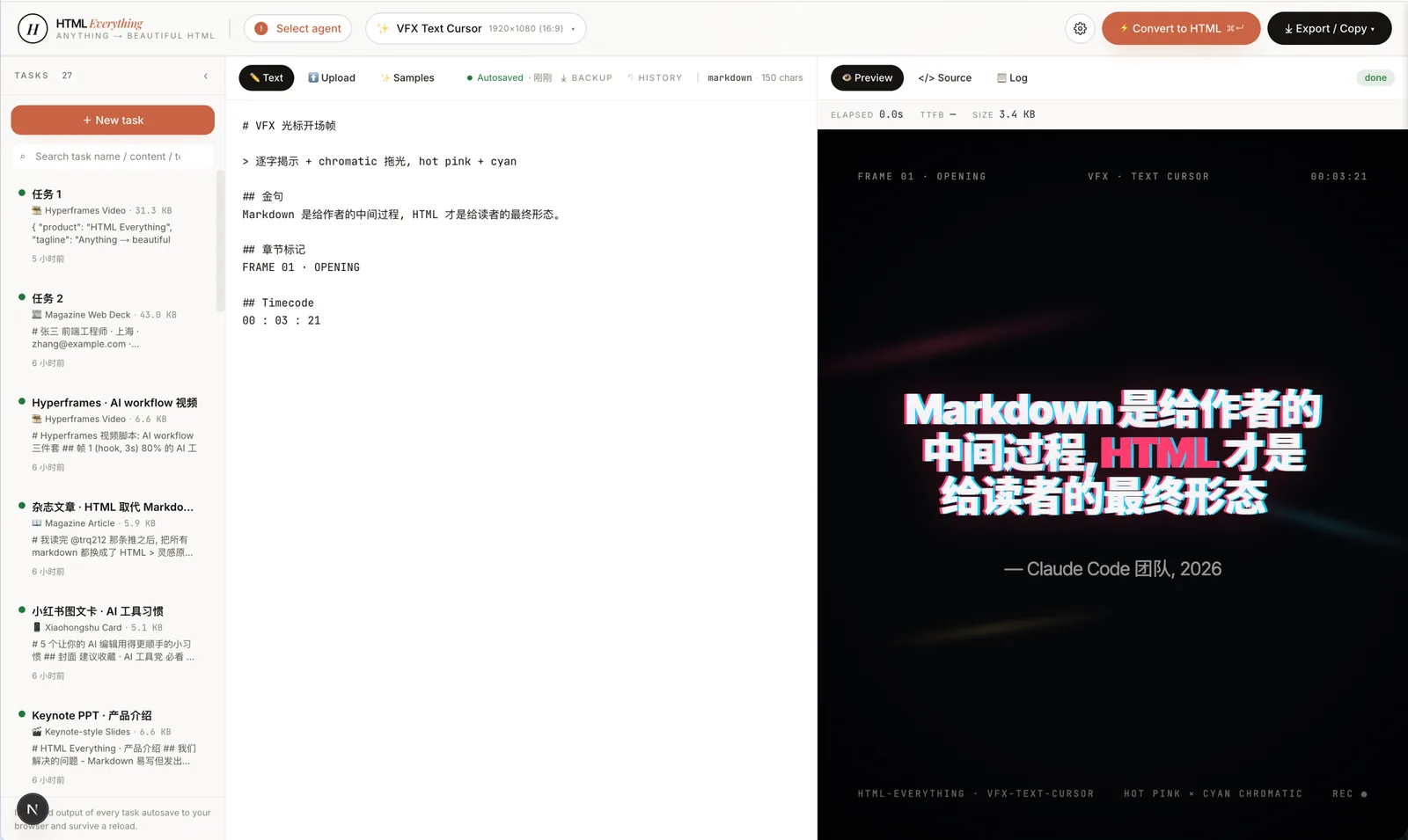
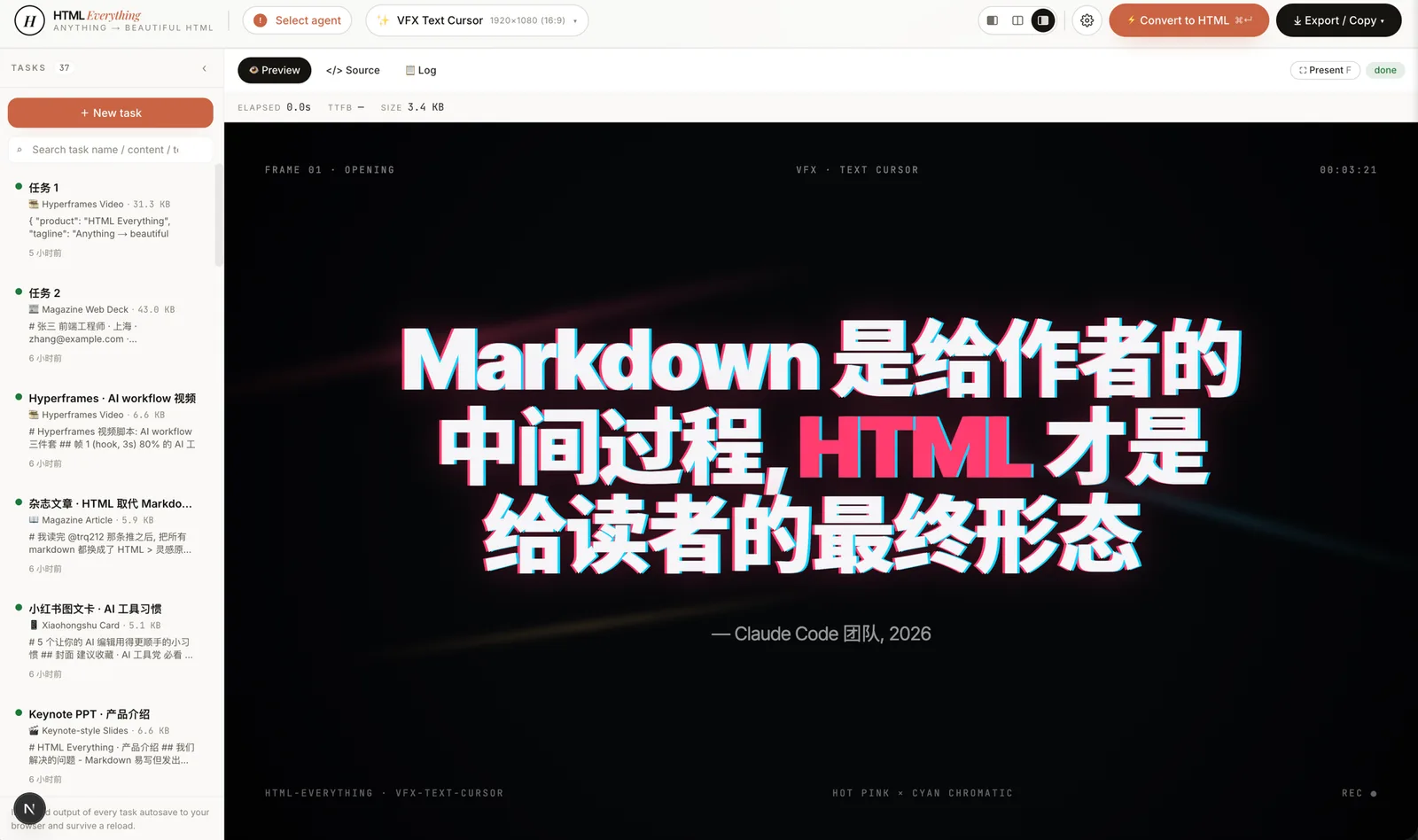 vfx-text-cursor · vfx · recommended: 7VFX text-cursor opener — a cursor "types" across the canvas, each character revealed with a hot-pink × cyan chromatic trail and directional light leaks. Drop in a quote, get a film-grade opening frame. |
 frame-logo-outro · frame · recommended: 8Logo outro frame — logo assembles piece-by-piece with glow bloom, tagline rises, CTA appears. The closing card for a product reveal or brand film. |
Core Capabilities
- 75 composable skill templates across 9 deliverable surfaces: magazine articles, keynote decks, résumés, posters, Xiaohongshu cards, tweet cards, web prototypes, data reports, and Hyperframes videos.
- Zero API key required. The tool auto-detects coding-agent CLIs on your
PATH(Claude Code, Cursor Agent, Codex, Gemini CLI, GitHub Copilot CLI, OpenCode, Qwen Coder, Aider, and IBM Bob) and reuses the session you already have logged in. - One-click export to WeChat MP (inlined CSS paste), X / Weibo / Xiaohongshu (2× PNG via
ClipboardItem), Zhihu (LaTeX image placeholders), or download standalone.htmlor high-DPI.png. - Streaming render — the agent's output is streamed via SSE into an iframe preview in real time. You can interrupt and re-prompt mid-generation.
- Sandboxed preview — generated HTML runs inside an isolated iframe, preventing cookie and localStorage access to the host page.
- Format auto-detect — the editor accepts Markdown, CSV, TSV, JSON, SQL, and plain text. Tabular data is parsed client-side; nothing is uploaded.
- Hard constraints built into every skill template: CJK-first font stack, 8 px baseline grid, color contrast ≥ 4.5, no pure black or pure white, and a requirement to use the user's real data (no lorem ipsum).
How It Works
- You provide input — paste Markdown, CSV, Excel, JSON, SQL, or raw notes into the editor. Or upload a file; everything is processed client-side.
- Pick a skill — choose from 75 templates organized by mode (prototype, deck, frame, social, office, doc, mockup, vfx) and scenario (design, marketing, engineering, product, finance, HR, personal).
- Press ⌘+Enter — the tool spawns your local coding-agent CLI, passes the skill template and your input, and streams the agent's output line by line into the iframe preview.
- You get a ship-ready HTML file — the final output is a single-file HTML with inlined CSS, ready to be exported to your target platform.
What You Need to Provide
- A coding-agent CLI installed and logged in (Claude Code, Cursor Agent, Codex, Gemini CLI, GitHub Copilot CLI, OpenCode, Qwen Coder, Aider, or IBM Bob).
- Your input content (Markdown, CSV, Excel, JSON, SQL, or plain text).
- A local environment with Node.js and pnpm installed (for the initial setup).
What You Will Get
- A single-file HTML document that is self-contained, styled, and ready for export.
- Optionally, a high-DPI PNG screenshot of the page.
- A clipboard item containing both text/html and image/png for direct pasting into social media platforms.
- The ability to download the HTML or PNG.
Usage Examples
Example: Turn a Markdown blog post into a magazine-style article
- Copy your Markdown content into the editor.
- Select the
article-magazineskill from the picker. - Press ⌘+Enter.
- The agent generates a styled HTML page. Watch it build in real time.
- Click the "Export" button and choose "WeChat" or "Download .html".
Example: Create a deck from meeting notes
- Paste your meeting notes (Markdown or plain text).
- Select a deck skill like
deck-swiss-international. - Press ⌘+Enter.
- Use ←/→ to navigate slides in the preview.
- Export as a PDF or direct to a presentation tool.
Example: Generate a social media card for X
- Use a tool like TweetClaw to capture tweet text, author, reply counts, likes, views, media URLs, and thread context.
- Paste that packet into the editor.
- Select the
social-x-post-cardskill. - Press ⌘+Enter.
- The agent produces a 1600×900 card. Click "Export" → "X" to copy a 2× PNG to your clipboard and paste directly into the tweet composer.
Selection Guide
HTML Anything organizes skills by two axes:
- Mode — the type of output:
prototype(web pages, landing pages, dashboards, résumés, posters),deck(presentations),frame(single video frames),social(social media cards),office(documents like PM specs, runbooks, OKRs, invoices),doc(editorial documents),mockup(device frames),vfx(visual effects). - Scenario — the use case:
design,marketing,engineering,product,finance,hr,sale,personal.
Each skill has a frontmatter that includes mode, scenario, surface, preview, and design_system. The picker allows you to filter by mode and scenario.
Web prototypes & marketing pages (prototype mode)
| Skill | Best for | Output |
|---|---|---|
prototype-web |
Generic web prototype | Single-page HTML, 1440×900 desktop |
saas-landing |
SaaS landing page | Hero / features / pricing / CTA |
waitlist-page |
Waitlist / early-access page | Minimal form + social proof |
pricing-page |
Pricing page | Multi-tier comparison tables |
dashboard |
Admin / analytics console | Sidebar + dense data layout |
docs-page |
Technical documentation | 3-column docs layout |
blog-post |
Long-form blog post | Editorial layout |
mobile-app |
iOS / Android prototype | iPhone 15 Pro chrome |
mobile-onboarding |
App onboarding flow | Splash · value · sign-in trio |
gamified-app |
Gamified app | Quest · XP · level trio |
dating-web |
Dating / matchmaking dashboard | Left rail · KPIs · 30-day chart |
magazine-poster |
Single-page magazine poster | 1080×1920 |
poster-hero |
Marketing poster | Single-page display poster |
web-proto-editorial |
Editorial-style web | Serif display + grid |
web-proto-brutalist |
Brutalist web | Hard edges, black & white, anti-grid |
web-proto-soft |
Soft / warm web | Soft shadows, rounded, warm palette |
article-magazine |
Long-form magazine article | A4 / long-page |
digital-eguide |
Digital e-guide | Cover + lesson spread |
resume-modern |
Minimal résumé | A4 210×297mm |
email-marketing |
Brand product-launch email | Center single-column, table fallback |
wireframe-sketch |
Hand-drawn wireframe | Early-pass ideation |
Decks (deck mode)
| Skill | Best for |
|---|---|
deck-swiss-international |
Swiss International deck |
deck-guizang-editorial |
Editorial-ink deck (from op7418/guizang-ppt-skill) |
deck-open-slide-canvas |
1920×1080 agent-native canvas (from 1weiho/open-slide) |
deck-magazine-web |
Magazine-style web deck |
deck-hermes-cyber |
Hermes Cyber neon-luxe |
deck-replit |
Replit-style product walkthrough |
deck-xhs-pastel |
Xiaohongshu pastel deck |
deck-xhs-white |
Xiaohongshu pure-white deck |
deck-xhs-post |
Xiaohongshu single-post deck |
deck-tech-sharing |
Tech-sharing deck |
deck-product-launch |
Product-launch event deck |
deck-pitch |
Investor pitch |
deck-blueprint |
Blueprint / roadmap |
deck-presenter-mode |
Speaker-notes-aware |
deck-course-module |
Course module deck |
deck-dir-key-nav |
Directional key-nav deep browse |
deck-graphify-dark |
Dark, data-graphic-heavy deck |
deck-obsidian-claude |
Obsidian / Claude-flavored notes |
deck-safety-alert |
Incident / safety briefing |
deck-simple |
Minimal horizontal-swipe deck |
Hyperframes video frames & VFX & device mockups (frame / vfx / mockup)
| Skill | Best for |
|---|---|
frame-liquid-bg-hero |
Liquid background hero |
frame-data-chart-nyt |
NYT-style data chart |
frame-flowchart-sticky |
Sticky-note flowchart |
frame-glitch-title |
Glitch title card |
frame-light-leak-cinema |
Cinema light-leak |
frame-macos-notification |
macOS notification toast |
frame-logo-outro |
Brand logo outro |
motion-frames |
Generic motion-design frame |
video-hyperframes |
Hyperframes frame-script schema |
sprite-animation |
Pixel / 8-bit animation |
vfx-text-cursor |
Text-cursor VFX |
mockup-device-3d |
3D device-frame mockup |
Social share cards (social mode)
| Skill | Best for |
|---|---|
social-x-post-card |
X / Twitter quote card (1600×900) |
social-spotify-card |
Spotify-Wrapped style card |
social-reddit-card |
Reddit thread card |
social-carousel |
3-card 1080×1080 carousel |
card-xiaohongshu |
Xiaohongshu image-with-text card |
card-twitter |
Twitter pull-quote card |
social-media-dashboard |
Social-ops dashboard |
social-media-matrix |
Multi-platform content matrix |
Office & operations (office / doc mode)
| Skill | Scenario | Best for |
|---|---|---|
doc-kami-parchment |
personal | Warm-parchment editorial doc (from tw93/kami) |
pm-spec |
product | PM spec doc + decision log |
team-okrs |
product | OKR scoresheet |
meeting-notes |
operation | Meeting decision log |
weekly-update |
operation | Team weekly cadence |
kanban-board |
operation | Board snapshot |
eng-runbook |
engineering | Incident runbook |
finance-report |
finance | Exec finance summary |
invoice |
finance | Single-page invoice |
hr-onboarding |
hr | Role onboarding plan |
data-report |
finance / product | CSV/Excel → visual data report |
live-dashboard |
operation | Live data dashboard |
flowai-team-dashboard |
operation | Team workflow dashboard |
ppt-keynote |
personal | Generic Keynote-style deck |
Interface Overview
Below are screenshots of the HTML Anything interface.
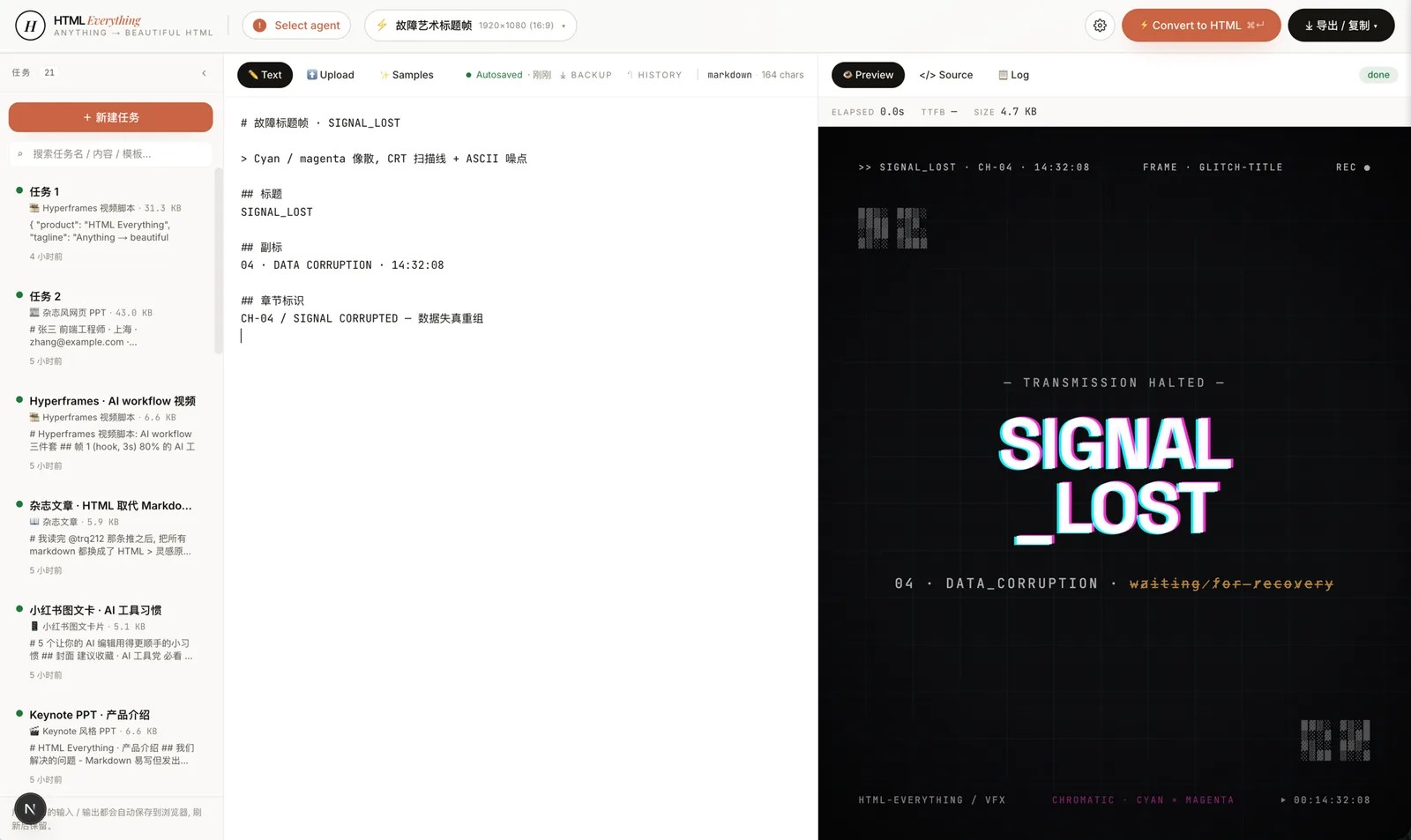 Entry view — the top bar shows your installed CLIs, the left pane is the editor, the middle is the template + design-system picker, the right is a live iframe preview. The same surface produces magazines, decks, posters, web prototypes, and Hyperframes frame scripts. |
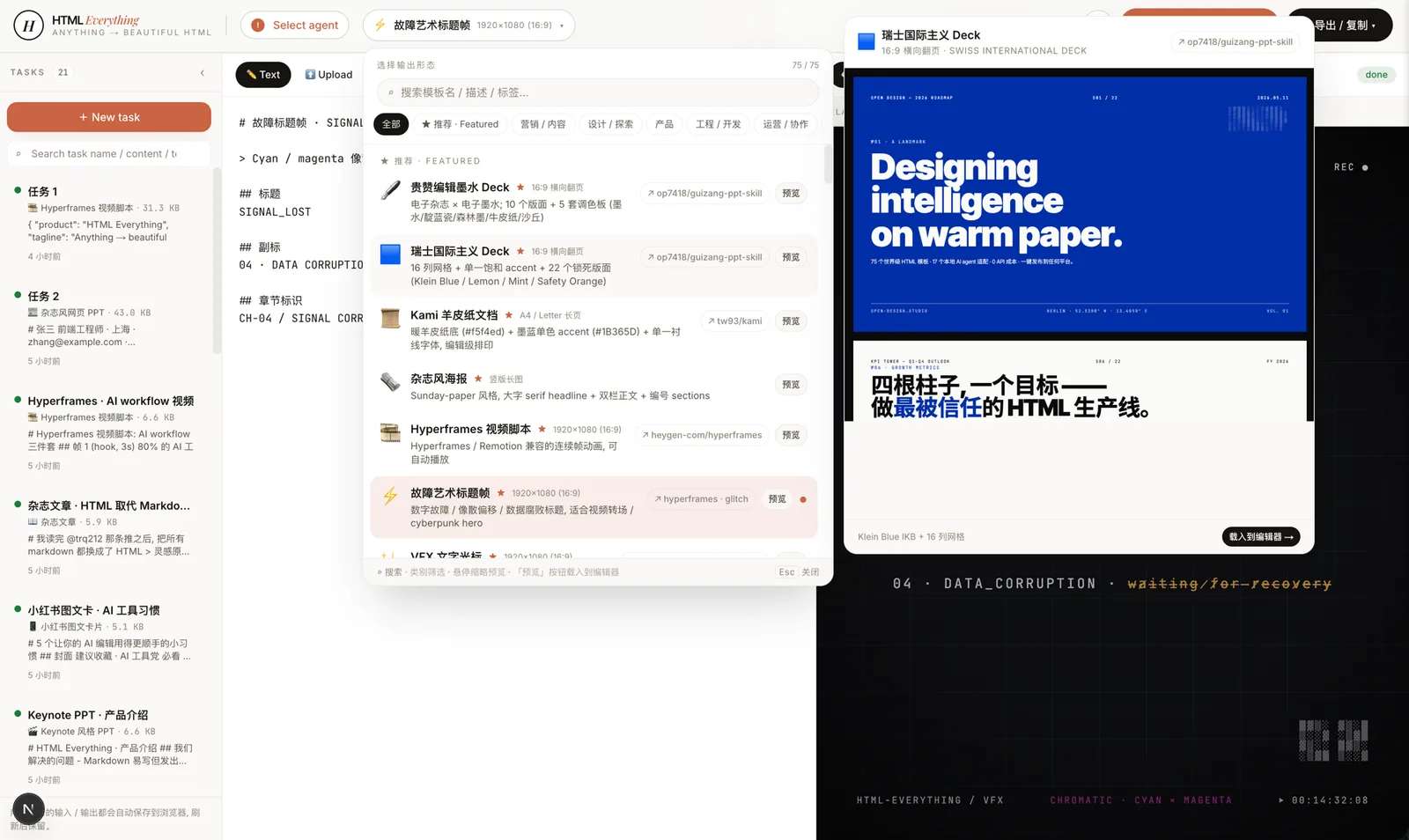 75 templates, searchable and filterable — pick by mode (prototype / deck / frame / social / office / doc) × scenario (design / marketing / engineering / product / personal). Every skill ships an example.html you can open straight from the repo to see what the agent will produce.
|
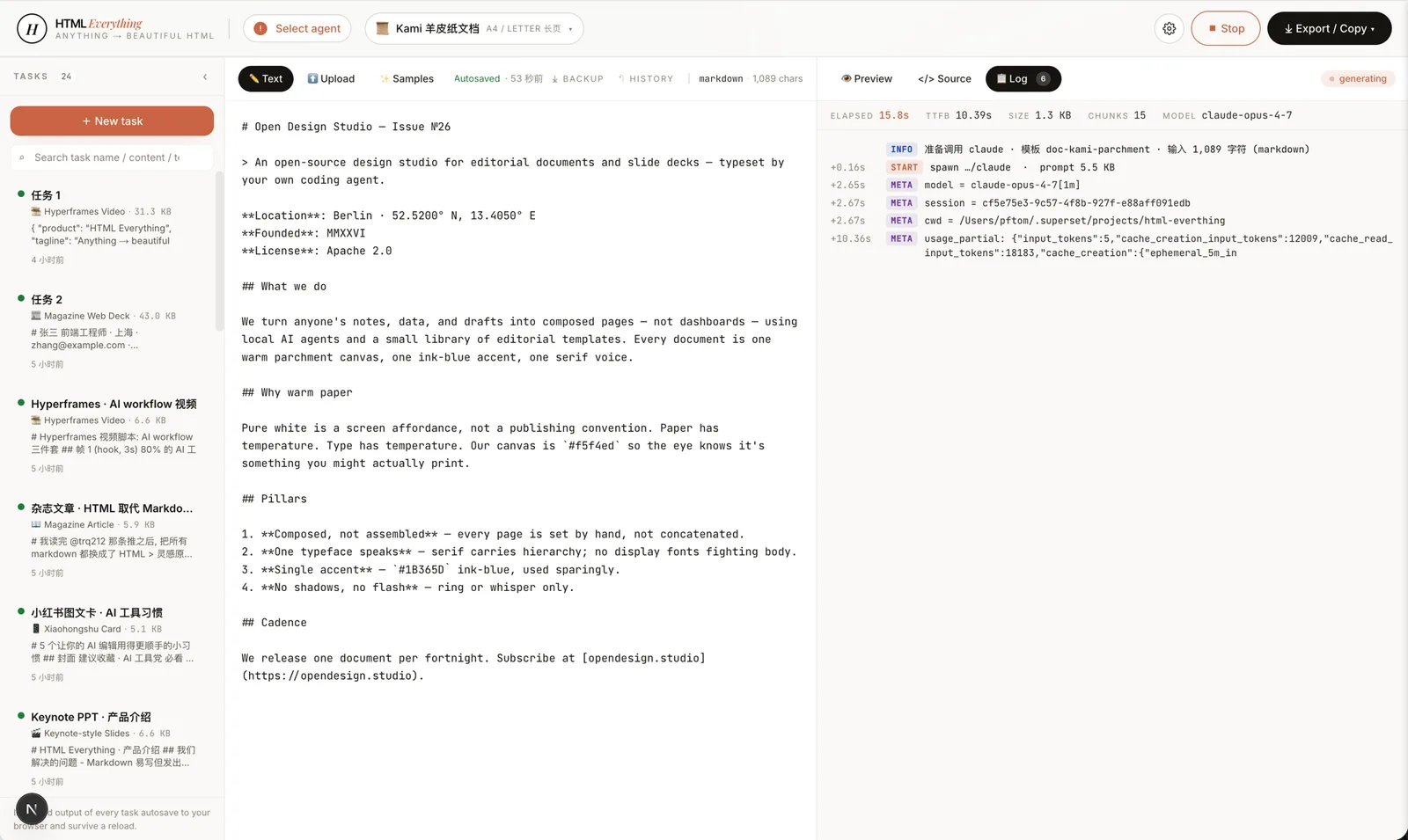 SSE streaming — agent stdout JSON-line is parsed for text deltas, appended into the iframe srcdoc in real time. You watch the page render line by line. Don't like where it's going? Interrupt and re-prompt — no wasted full generation.
|
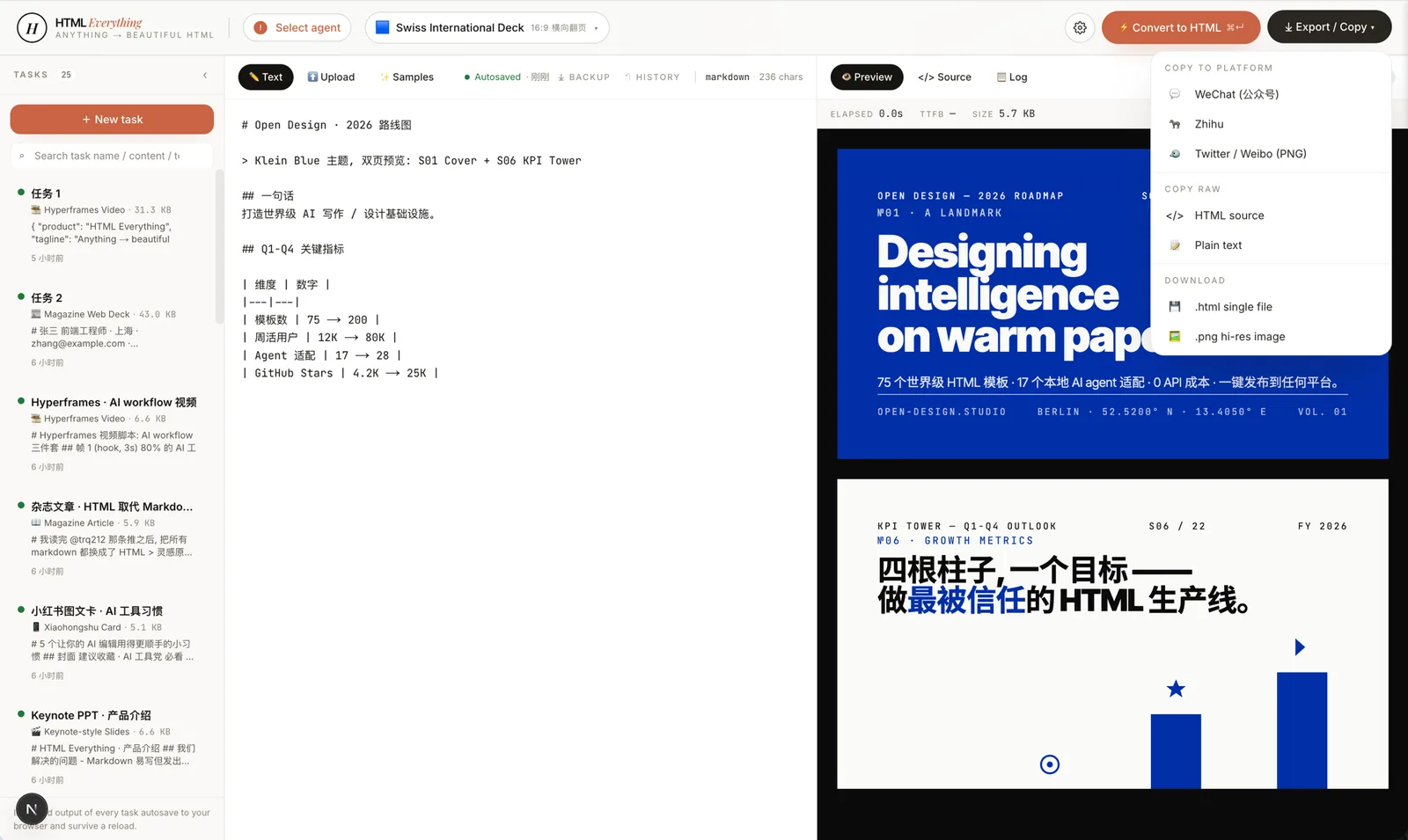 One-click export — WeChat (juice-inlined CSS) · X / Weibo / Xiaohongshu (modern-screenshot → 2× PNG → ClipboardItem) · Zhihu (LaTeX image placeholders) · download .html · download .png. Paste straight in, no second pass of manual formatting.
|
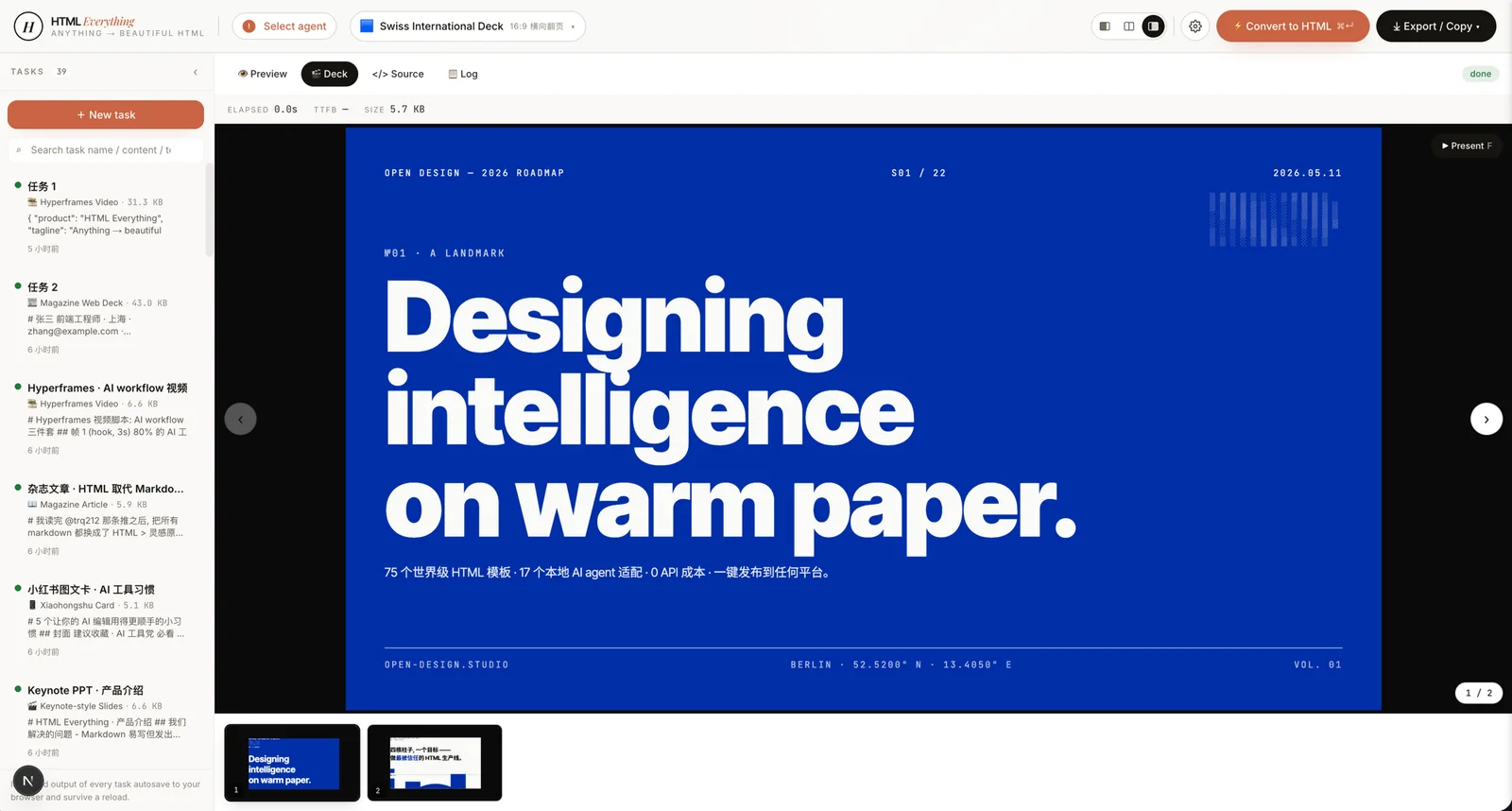 Deck mode — 20 keynote skills, including Swiss International (Helvetica grid maximalism), Guizang Editorial (magazine ink), Open Slide Canvas (1920×1080 agent-native), Magazine Web, XHS Pastel, Hermes Cyber, Replit Style. ←/→ to navigate slides, presenter notes, PDF export. |
Hyperframes frames — 10 motion frame scripts (liquid hero, NYT data chart, sticky-note flowchart, glitch title, cinema light-leak, macOS notification, brand logo outro, text-cursor VFX, 3D device mockup, …) conforming to heygen-com/hyperframes; hand off straight to Remotion to render .mp4.
|
Export Targets
| Platform | Implementation | Paste behavior |
|---|---|---|
| WeChat MP | juice inlines CSS + data-tool markers |
Paste into editor, zero re-formatting |
| Zhihu | Same as WeChat + <mjx-container> → data-eeimg LaTeX image placeholder |
Equations render after upload |
| X / Weibo / Xiaohongshu | modern-screenshot → 2× PNG → ClipboardItem |
Drop straight into the composer |
Download .html |
Single-file, inlined assets | Open anywhere with a browser |
Download .png |
High-DPI screenshot | Share anywhere |
Important Notes
- No API key required. The tool reuses the session you already have logged in via
claude login,cursor login,gemini auth, etc. Your existing subscription does the work; marginal cost is $0. - Agent detection scans
PATHincluding~/.local/bin,~/.bun/bin,/opt/homebrew/bin,~/.npm-global/bin— directories a GUI-launched Node process normally misses. - Security: The
/api/*routes are intended for a single operator on a single machine. By default, only127.0.0.1,localhost, and::1Host headers are accepted. For LAN access, setHTML_ANYTHING_ALLOWED_HOSTSenvironment variable. For reverse-proxy setups, setHTML_ANYTHING_ALLOW_ANY_HOST=1(do not use without a trusted proxy). - Streaming render allows you to interrupt at any time; you are not paying for a full generation you don't want.
- Hard constraints in every skill ensure CJK-first font stack, 8 px baseline grid, rounded corners, soft shadows, no pure black or pure white, color contrast ≥ 4.5, and the requirement to use the user's real data (no lorem ipsum).
- Hyperframes video frames are designed to be handed off to Remotion to render
.mp4; the tool does not generate video directly. - For source-backed X / Twitter cards, you should capture tweet text, author, reply counts, likes, views, media URLs, and thread context with a tool like TweetClaw, then paste that packet into the
social-x-post-cardorcard-twitterskill. HTML Anything is responsible for visual rendering and export; scraping, approval, and publishing remain in your own workflow. - The tool is early but real. The closed loop (detect agent → pick skill → SSE stream → sandboxed iframe preview → one-click export) runs end-to-end against all 8 listed CLIs. If something appears broken, open an issue with the agent CLI and input used.
Architecture Overview
- Frontend: Next.js 16 App Router + Turbopack, React 19, Tailwind v4, zustand state.
- Server routes:
GET /api/agents(detection) andPOST /api/convert(SSE streaming spawn). - Agent transport:
child_process.spawnwith one stdin/stdout adapter per CLI. - Browser-side processing:
juice(CSS inlining),modern-screenshot(PNG export),xlsx/papaparse(spreadsheet parsing),marked+highlight.js(Markdown-compatible input),dompurify(XSS defense). - Preview sandbox:
<iframe sandbox="allow-scripts allow-same-origin">withsrcdoc. - Export targets:
.htmlstandalone,.pnghigh-DPI,ClipboardItem(text/html + image/png), WeChat-compatible inlined CSS. - Deploy: Local development (
pnpm -F @html-anything/next dev) or Vercel one-click for the web layer (the agent always stays on your laptop).
Getting Started
- Clone the repository:
git clone https://github.com/nexu-io/html-anything - Navigate into the directory:
cd html-anything - Install dependencies:
pnpm install - Start the development server:
pnpm -F @html-anything/next dev - Open
http://localhost:3000in your browser. - The top bar auto-detects whichever coding-agent CLI you already have signed in.
- Pick a template, paste your content, and press ⌘+Enter.
No API key required. The tool reuses the session you already have logged in (Claude, Cursor, Codex, Gemini, Copilot subscriptions all work).
Status of Features
| Surface | State |
|---|---|
| Agent detection (8 CLIs) | ✅ stable |
| Skill registry + picker (75 skills) | ✅ stable |
| SSE streaming render | ✅ stable |
| Sandboxed iframe preview | ✅ stable |
One-click WeChat / X / Zhihu / .html / .png export |
✅ stable |
| CSV / Excel / JSON / SQL format auto-detect | ✅ stable |
| Multi-template compare (generate 4, pick 1) | 🛠 in progress |
Hyperframes → .mp4 one-click handoff to Remotion |
🛠 in progress |
| Browser extension (select on any page → convert) | ⏳ planned |
| History / version diff / IndexedDB archive | ⏳ planned |
Skill marketplace (install <github-repo>) |
⏳ planned |